Codex CLI Integration
Configure Codex CLI with an LLM Gateway provider, connect your API key, and verify file edits and test execution.
Codex CLI can connect to LLM Gateway through a custom provider using the Responses API. This walkthrough was verified with Codex CLI 0.153.4.
Video walkthrough
Install
1pnpm add -g @openai/codex2codex --version1pnpm add -g @openai/codex2codex --versionConfigure LLM Gateway
Create a key in your dashboard and export it in the terminal where you launch Codex:
1export LLMGATEWAY_API_KEY="your_api_key"1export LLMGATEWAY_API_KEY="your_api_key"Merge these settings into ~/.codex/config.toml:
1model = "deepseek-v4-flash"2model_provider = "llmgateway"3model_reasoning_effort = "low"4web_search = "disabled"5
6[model_providers.llmgateway]7name = "LLM Gateway"8base_url = "https://api.llmgateway.io/v1"9env_key = "LLMGATEWAY_API_KEY"10wire_api = "responses"1model = "deepseek-v4-flash"2model_provider = "llmgateway"3model_reasoning_effort = "low"4web_search = "disabled"5
6[model_providers.llmgateway]7name = "LLM Gateway"8base_url = "https://api.llmgateway.io/v1"9env_key = "LLMGATEWAY_API_KEY"10wire_api = "responses"The named provider reads your gateway key from the environment. You can keep your existing ChatGPT login. Current Codex versions use responses; changing an environment variable cannot switch them to Chat Completions.
Web search is disabled for this example because the selected model does not support native web search. Enable it only after selecting a model with that capability in the catalogue.
Start coding
1cd your-project2codex1cd your-project2codexFor a scripted task:
1codex exec --sandbox workspace-write "Fix the failing test and run it again"1codex exec --sandbox workspace-write "Fix the failing test and run it again"Verify the connection
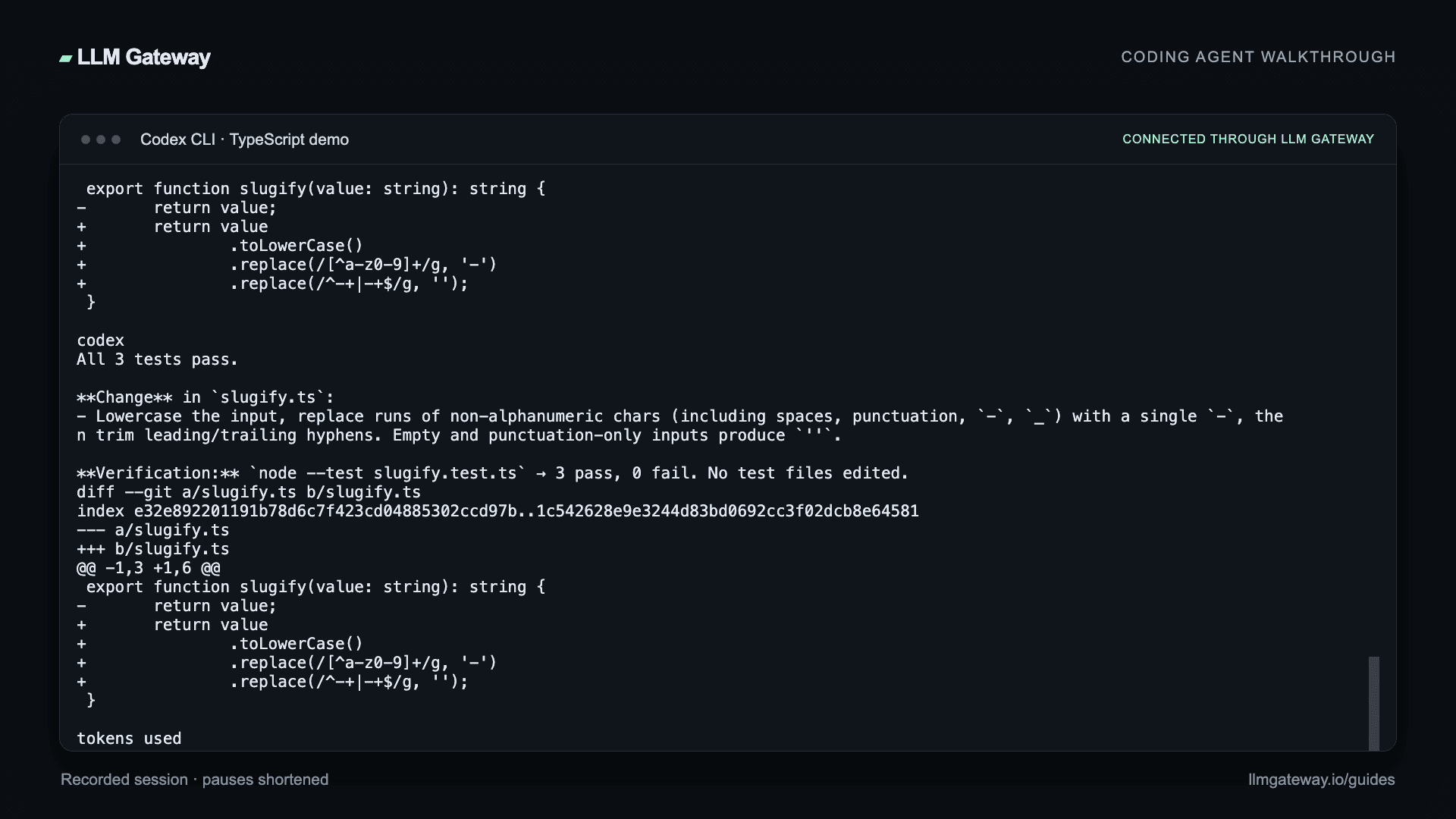
Open a small project and ask the agent to read a file, make a change, and run its tests. Our recorded example fixes a TypeScript slugifier and passes all three tests with deepseek-v4-flash through LLM Gateway.
Hello, LLM Gateway! becomes hello-llm-gateway; repeated separators collapse into one hyphen; empty and punctuation-only inputs stay empty. The demo uses Node.js 24 to run node --test slugify.test.ts directly.
Review the diff and test output, then check the request in your LLM Gateway dashboard. Choose other compatible models from the live catalogue.
Troubleshooting
- Authentication fails: check that
model_providermatches the provider table and thatLLMGATEWAY_API_KEYis exported in the same shell. - Native web search is unsupported: set
web_search = "disabled", then start a new session. - Model metadata or catalogue refresh warning: Codex 0.153.4 can warn about missing metadata or the gateway's model-list response format. Our configured model still completed the task. Use an explicit model ID and verify the actual request result.
- Wrong endpoint: the provider's
base_urlmust end in/v1.
See OpenAI's custom-provider configuration for configuration profiles and other options.