LLM Gateway vs LiteLLM: An Honest Comparison
A straightforward comparison of LLM Gateway and LiteLLM — features, operational cost, and trade-offs — so you can pick the right one for your stack.
By LLM Gateway
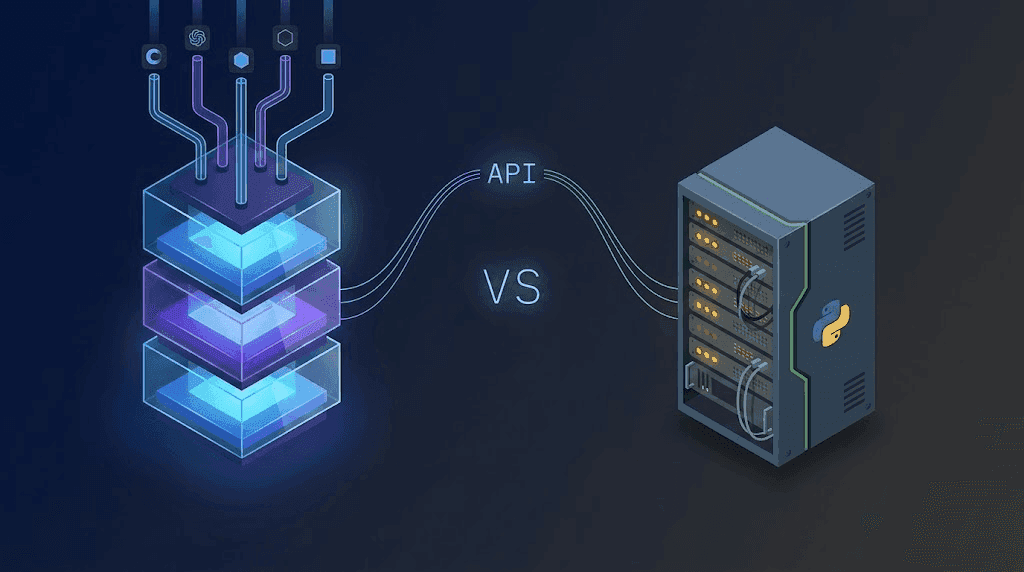
LLM Gateway and LiteLLM solve the same core problem: give developers a single API to access many LLM providers. But they approach it from opposite ends. LiteLLM is a Python library and self-hosted proxy you run yourself. LLM Gateway is a managed (or self-hosted) platform with the proxy, dashboard, billing, caching, routing, and audit logs already wired together.
We built LLM Gateway, so we're biased — but we'll tell you where LiteLLM is the right call too.
The Quick Version
| Feature | LLM Gateway | LiteLLM |
|---|---|---|
| Models | 200+ models, 40+ providers | 100+ providers via SDK |
| API compatibility | OpenAI-compatible | OpenAI-compatible |
| Deployment | Managed cloud or self-hosted (Docker) | Self-hosted (Python proxy) |
| Infrastructure to run | None (managed) or 1 Docker command (self-host) | Yes — you run and scale the proxy |
| Bring Your Own Keys | Yes (zero gateway markup) | Yes |
| Smart routing | Weighted scoring (uptime, throughput, price, latency) | Manual fallback lists |
| Auto retry & failover | Yes (up to 2 retries, transparent) | Yes (configured per model) |
| Response caching | Built-in (Redis, 10s to 1 year TTL) | Built-in, needs config |
| Guardrails | Enterprise (prompt injection, PII, jailbreak, secrets) | Via external integrations |
| Analytics dashboard | Per-request detail, cost, latency, cache hit rate | Built-in dashboard + spend logs |
| Audit logs | Yes (90-day retention) | Spend logs; audit logs (Enterprise) |
| Team management | Roles, permissions, projects | Virtual keys + budgets |
| Image & video gen | Yes (gpt-image, Gemini, Veo 3.1, Seedream, Qwen) | Image yes, video limited |
| AI SDK provider | Yes (@llmgateway/ai-sdk-provider) | Community SDK |
| Pricing model | Free (self-host) or 5% platform fee / BYOK (0% fee) | Free (self-host); infra costs apply |
Where LLM Gateway Wins
No Infrastructure to Babysit
LiteLLM's proxy is a Python service. You deploy it, you scale it, you monitor it, you update it. Add Redis for caching. Add a database for spend tracking. Add a second instance for high availability. Add a load balancer. Add CI to test config changes. It's not hard — but it's a project, and it never shrinks.
LLM Gateway's managed tier takes that entire stack off your plate:
1import OpenAI from "openai";2
3const client = new OpenAI({4 baseURL: "https://api.llmgateway.io/v1",5 apiKey: process.env.LLM_GATEWAY_API_KEY,6});1import OpenAI from "openai";2
3const client = new OpenAI({4 baseURL: "https://api.llmgateway.io/v1",5 apiKey: process.env.LLM_GATEWAY_API_KEY,6});That's the whole "deployment." Uptime, scaling, patches, and new-model support are someone else's job.
Prefer to self-host? One Docker command gets you the same features on your own infrastructure:
1docker run -d \2 --name llmgateway \3 -p 3002:3002 -p 4001:4001 -p 4002:4002 \4 -e AUTH_SECRET="your-secret" \5 -e GATEWAY_API_KEY_HASH_SECRET="your-hash-secret" \6 ghcr.io/theopenco/llmgateway-unified:latest1docker run -d \2 --name llmgateway \3 -p 3002:3002 -p 4001:4001 -p 4002:4002 \4 -e AUTH_SECRET="your-secret" \5 -e GATEWAY_API_KEY_HASH_SECRET="your-hash-secret" \6 ghcr.io/theopenco/llmgateway-unified:latestA Dashboard That Comes With the Proxy
LiteLLM ships a native usage dashboard and per-request spend logs, and it can fan out to LangSmith, Langfuse, or Datadog. It covers the basics. But assembling a single, turnkey view across cost, cache, and provider health is still on you.
LLM Gateway ships with:
- Per-request logs — prompt, response, model, provider, latency, tokens, cost, cache status
- Real-time cost breakdown — by model, project, API key, and user
- Cache hit rate — see exactly how much you're saving
- Provider health — uptime, throughput, and error rate per provider over time
- Security events — guardrail violations with category and action breakdowns
Nothing to wire up. Open the dashboard and it's there.
Smart Routing That Adapts
LiteLLM's fallback is a static list: "if this fails, try that." You write it in config. You update it when providers change.
LLM Gateway's router scores every available provider for a model using real metrics from a rolling 60-minute window that weights the last few minutes most:
- Price (weight 0.6) — weighted toward cheaper providers
- Uptime (weight 0.5) — exponential penalty below 95%
- Throughput (weight 0.3) — tokens per second
- Latency (weight 0.075) — time to first token on streaming
Epsilon-greedy exploration (1% of requests) probes underused providers so the scoring stays honest as conditions change. Every decision is logged with the scores and the winner, so nothing is a black box.
Caching That's One Toggle Away
Caching in LiteLLM is built in, but you wire it up yourself — pick a backend, configure keys, set TTLs, and run the Redis.
In LLM Gateway, caching is a project-level switch. TTL from 10 seconds to 1 year. Works with streaming and non-streaming. Cached responses cost nothing. For workloads with repeat prompts (FAQ bots, classification, CI tests, batch jobs), teams routinely see 30–90% hit rates.
Enterprise Features Out of the Box
- Guardrails (Enterprise plan) — prompt injection, jailbreak, PII, and secrets detection with block/redact/warn rules
- Audit logs — every org action tracked with who, what, when, which resource (90-day retention)
- Team management — roles and permissions across organizations and projects
- Data retention controls — metadata-only by default, full payload retention on Enterprise, or zero data retention
LiteLLM covers some of this through plugins or external services. LLM Gateway bundles it.
One API key for every model.
Route to 200+ models with automatic failover, caching, and real-time cost analytics. Free to start — no credit card required.
Where LiteLLM Wins
Pure Self-Hosting Flexibility
If your requirement is "run it entirely on my hardware with zero external dependencies and total control over the Python stack," LiteLLM is purpose-built for that. It's a library first, a proxy second. You can embed it in your own service, patch it, fork it, and bend it to any shape.
LLM Gateway self-hosts too (AGPLv3, one Docker image), but it's an opinionated platform — dashboard, database, worker, gateway. If you only want a thin routing layer inside your own app, LiteLLM is leaner.
Python-First Codebases
LiteLLM's native interface is the litellm Python library. If your stack is Python and you want provider routing inside your process — no network hop, no proxy — calling litellm.completion() is the shortest path.
LLM Gateway is accessed over HTTP (OpenAI-compatible). That's fine for every language, but it is a network call.
Community and Longevity
LiteLLM has been around longer and has a deep community. More StackOverflow answers, more blog posts, more "I ran into this exact error" threads. For an existing LiteLLM team, that familiarity has real value.
Migration Is Two Lines
If you're running a LiteLLM proxy and want to try LLM Gateway:
1- const baseURL = "http://localhost:4000/v1"; // LiteLLM proxy2- const apiKey = process.env.LITELLM_API_KEY;3+ const baseURL = "https://api.llmgateway.io/v1";4+ const apiKey = process.env.LLM_GATEWAY_API_KEY;1- const baseURL = "http://localhost:4000/v1"; // LiteLLM proxy2- const apiKey = process.env.LITELLM_API_KEY;3+ const baseURL = "https://api.llmgateway.io/v1";4+ const apiKey = process.env.LLM_GATEWAY_API_KEY;Most model names are compatible. LLM Gateway accepts both bare model IDs (routed automatically) and provider-prefixed ones:
| LiteLLM | LLM Gateway |
|---|---|
gpt-5.2 | gpt-5.2 or openai/gpt-5.2 |
claude-opus-4-5-20251101 | claude-opus-4-5-20251101 or anthropic/claude-opus-4-5-20251101 |
gemini/gemini-3-flash-preview | gemini-3-flash-preview or google-ai-studio/gemini-3-flash-preview |
bedrock/claude-opus-4-5-... | claude-opus-4-5-... or aws-bedrock/claude-opus-4-5-... |
Using the LiteLLM library directly? Point it at LLM Gateway:
1import litellm2
3response = litellm.completion(4 model="gpt-5.2",5 messages=[{"role": "user", "content": "Hello!"}],6 api_base="https://api.llmgateway.io/v1",7 api_key=os.environ["LLM_GATEWAY_API_KEY"],8)1import litellm2
3response = litellm.completion(4 model="gpt-5.2",5 messages=[{"role": "user", "content": "Hello!"}],6 api_base="https://api.llmgateway.io/v1",7 api_key=os.environ["LLM_GATEWAY_API_KEY"],8)Full guide: docs.llmgateway.io/migrations/litellm.
Who Should Use What
Choose LLM Gateway if:
- You want a managed gateway without standing up Python infrastructure
- You need a dashboard, audit logs, and team management without assembling them
- Caching, guardrails, and smart routing should be toggles, not projects
- You work across Python, Node, Go, Rust — any language — over a single HTTP API
- You're running AI in production and want observability that's already wired up
Choose LiteLLM if:
- Your stack is Python-only and you want routing inside your process
- You need maximum self-hosting flexibility with zero external dependencies
- You want a thin library rather than a platform
- Your team already runs LiteLLM and the operational load is acceptable
The Bottom Line
LiteLLM gives you a proxy and a library. LLM Gateway gives you the proxy, plus the dashboard, caching, routing, guardrails, audit logs, team management, and cloud operations that production AI eventually needs.
If you enjoy owning infrastructure, LiteLLM is excellent at being what it is. If you'd rather ship features than babysit a proxy, LLM Gateway takes that operational work and makes it a checkbox.
Still shopping around? We compared the 8 best LiteLLM alternatives — including the managed routers and self-hosted proxies teams switch to.
Try LLM Gateway free | Migration guide | Compare all features
One API key for every model.
Route to 200+ models with automatic failover, caching, and real-time cost analytics. Free to start — no credit card required.