DevPass Pay-As-You-Go Overflow
DevPass no longer has to stop at 100%: opt into pay-as-you-go overflow and, once your monthly allowance is used, requests keep flowing from a credits balance billed at provider rates. Top up from the dashboard with your saved card, set auto-reload so the balance refills itself, and track it all on the new Usage page.

Until today, hitting 100% of your DevPass monthly allowance meant a hard stop: every request was rejected until renewal, and the only ways forward were upgrading a tier or leaving for the pay-as-you-go product on llmgateway.io. That is the worst possible moment to be interrupted — usually mid-session, inside a coding agent. Now DevPass supports pay-as-you-go overflow: an opt-in that keeps requests flowing past the allowance by billing them from a credits balance, with the same API key and the same agents.
Off By Default, On When You Say So
Overflow is strictly opt-in. Until you enable it, your plan works exactly as before — the monthly allowance is a hard cap, and nothing ever charges past your subscription price.
| Behavior | Overflow off (default) | Overflow on |
|---|---|---|
| Within monthly allowance | Plan credits, as today | Plan credits, as today |
| Monthly allowance exhausted | Requests rejected with 402 | Requests bill your credits balance |
| Weekly premium cap, mid-cycle | Reset Pass or wait | Reset Pass or wait — unchanged |
| Weekly premium cap, allowance exhausted | Requests rejected with 402 | Premium models bill your credits balance |
| Credits balance empty | — | Requests rejected with 402 until you top up |
Two details worth knowing:
- Usage is billed at provider rates with no markup on tokens — the same metering as your plan allowance. A 5% platform fee applies when you buy credits (plus 1.5% for international cards).
- Reset Passes keep their job. Mid-cycle, the weekly premium fair-use cap still applies even with overflow on — a Reset Pass remains the way to more premium usage inside your plan. Overflow takes over only once the monthly pool itself is gone.
Top Up And Auto-Reload From The Dashboard
Enable overflow on the new Usage page, then top up ($10–$5,000) with the card already backing your DevPass subscription — no checkout redirect. Turn on auto-reload and the balance refills itself: when it falls below your threshold, we charge your reload amount to the saved card. Disabling overflow always disables auto-reload with it, so you can never buy credits you cannot spend.
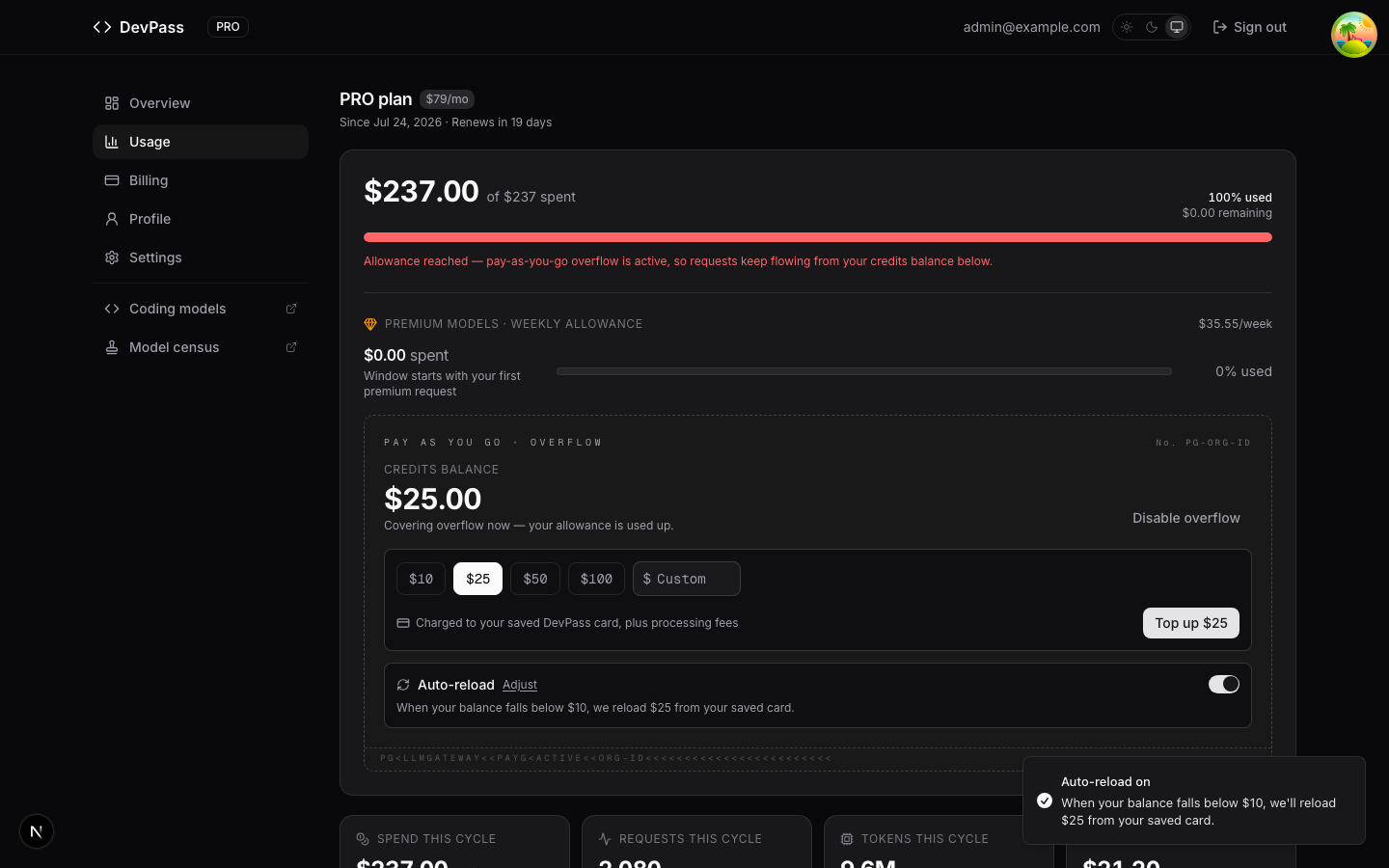
Every top-up is idempotent end to end — a double-click or a retried request reuses the same charge instead of creating a second one.
A Dedicated Usage Page
The dashboard is now split in two: Overview keeps your coding activity, a compact allowance snapshot, your API key, and quick-start guides; the new Usage page carries the full meters, the weekly premium allowance, Reset Passes, the model usage chart, and the pay-as-you-go controls.
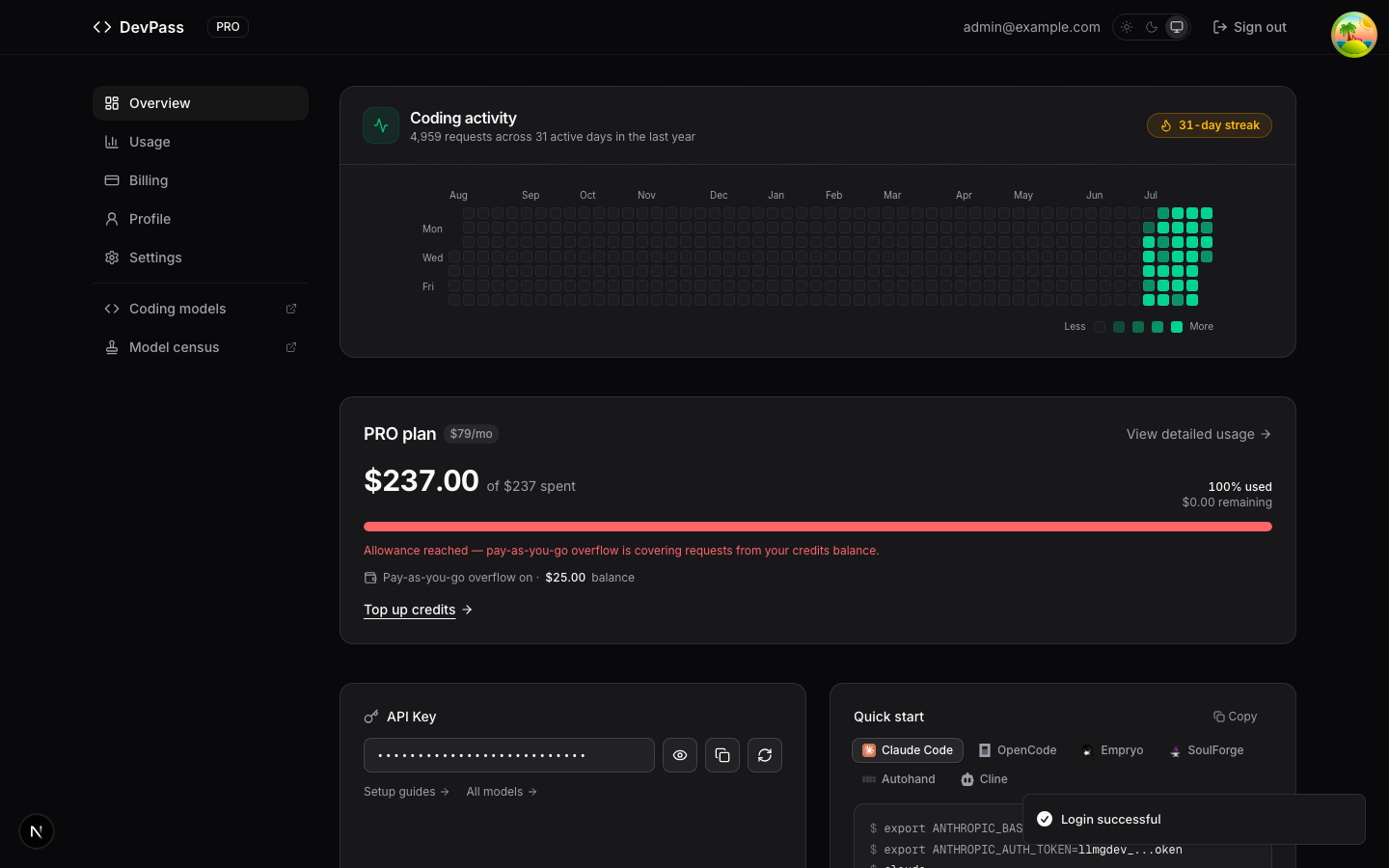
Watch the whole flow — cap hit, enabling overflow, topping up, and requests resuming — in the 23-second demo.
Also New: GitHub Copilot Is A First-Class Agent
GitHub Copilot's BYOK mode (VS Code's "OpenAI Compatible" provider and the Copilot CLI) sends no source header — it identifies only through its User-Agent, which our detection previously missed. The gateway now recognizes real Copilot traffic automatically, so it shows up in your agents dashboard, on the public leaderboard, and as a carrier in your passport, with no configuration needed.
Available on every DevPass tier — Lite, Pro, and Max.