Sessions Rebranded to Agents
Sessions are now Agents — monitor your AI coding agents, track costs per agent, and drill into individual sessions.
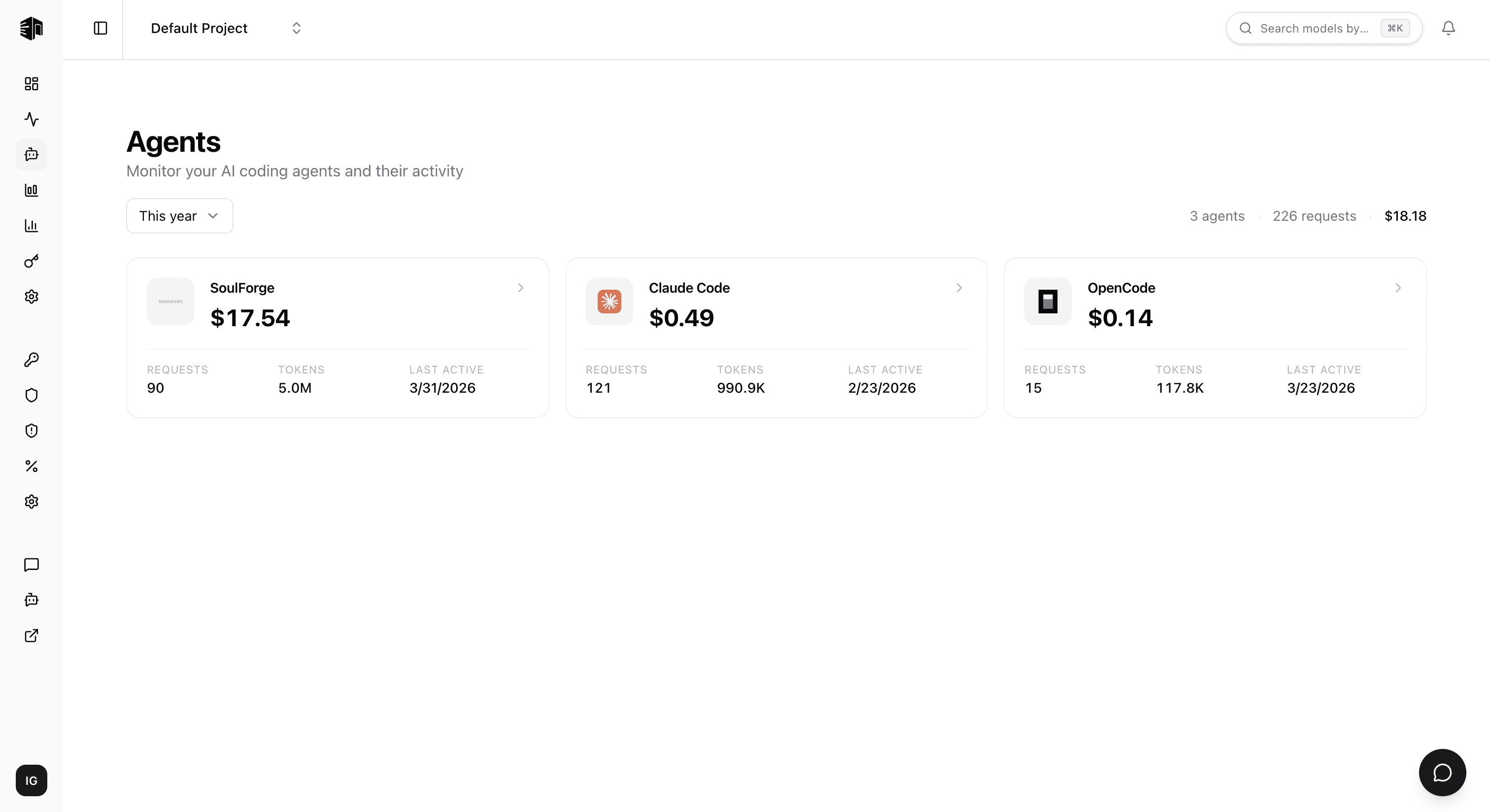
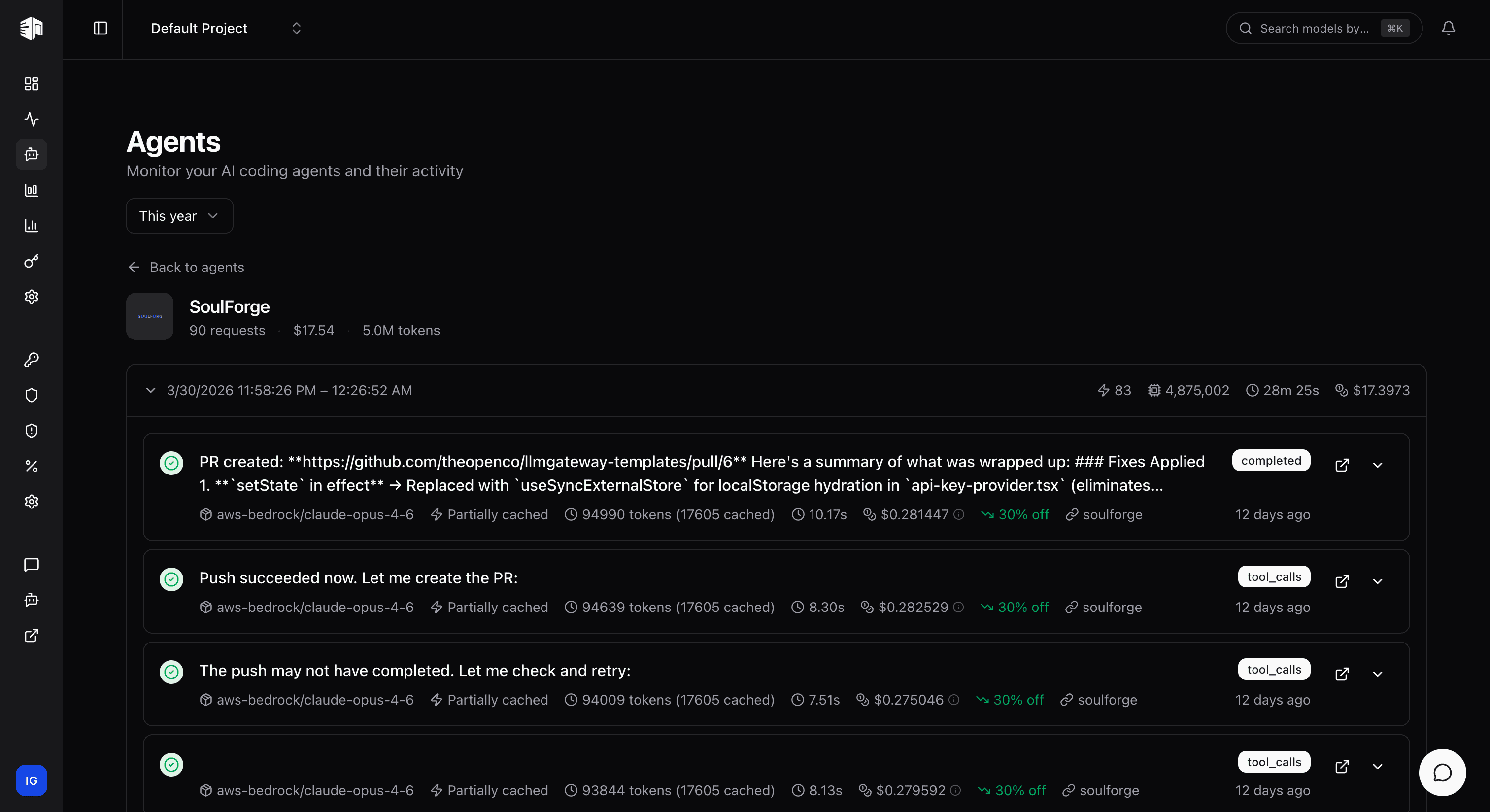
Sessions have been rebranded to Agents — giving you a clearer view of your AI coding agents and their activity.
What Changed
The Sessions page is now the Agents page. Instead of tracking anonymous sessions, you now see each coding agent (Claude Code, SoulForge, OpenCode, etc.) as a first-class entity with its own cost, token, and request breakdown.
Navigating the Agents Page
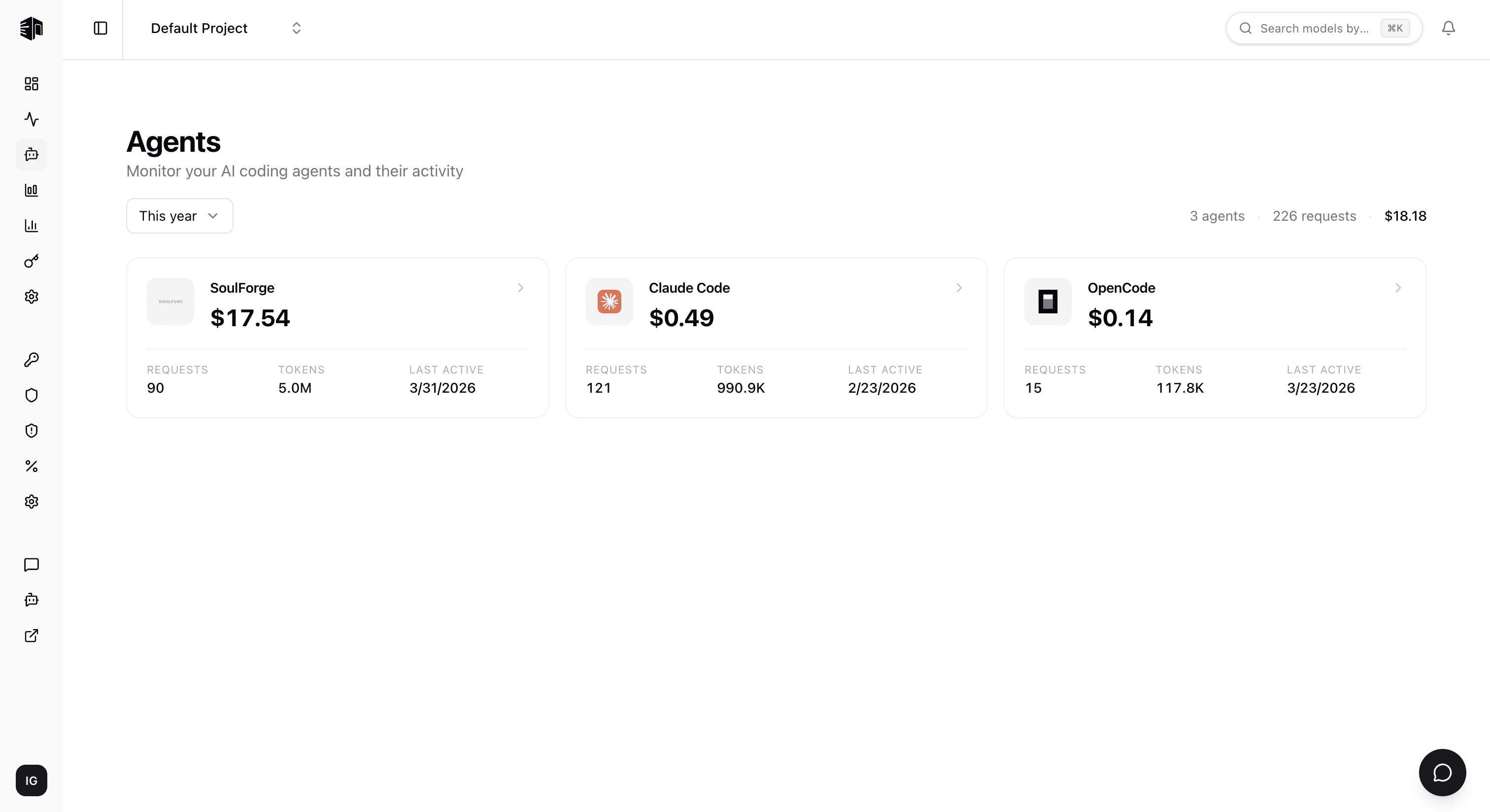
Open the Agents page from the sidebar to see all your coding agents at a glance. Each card shows the agent's total cost, request count, token usage, and last active date.
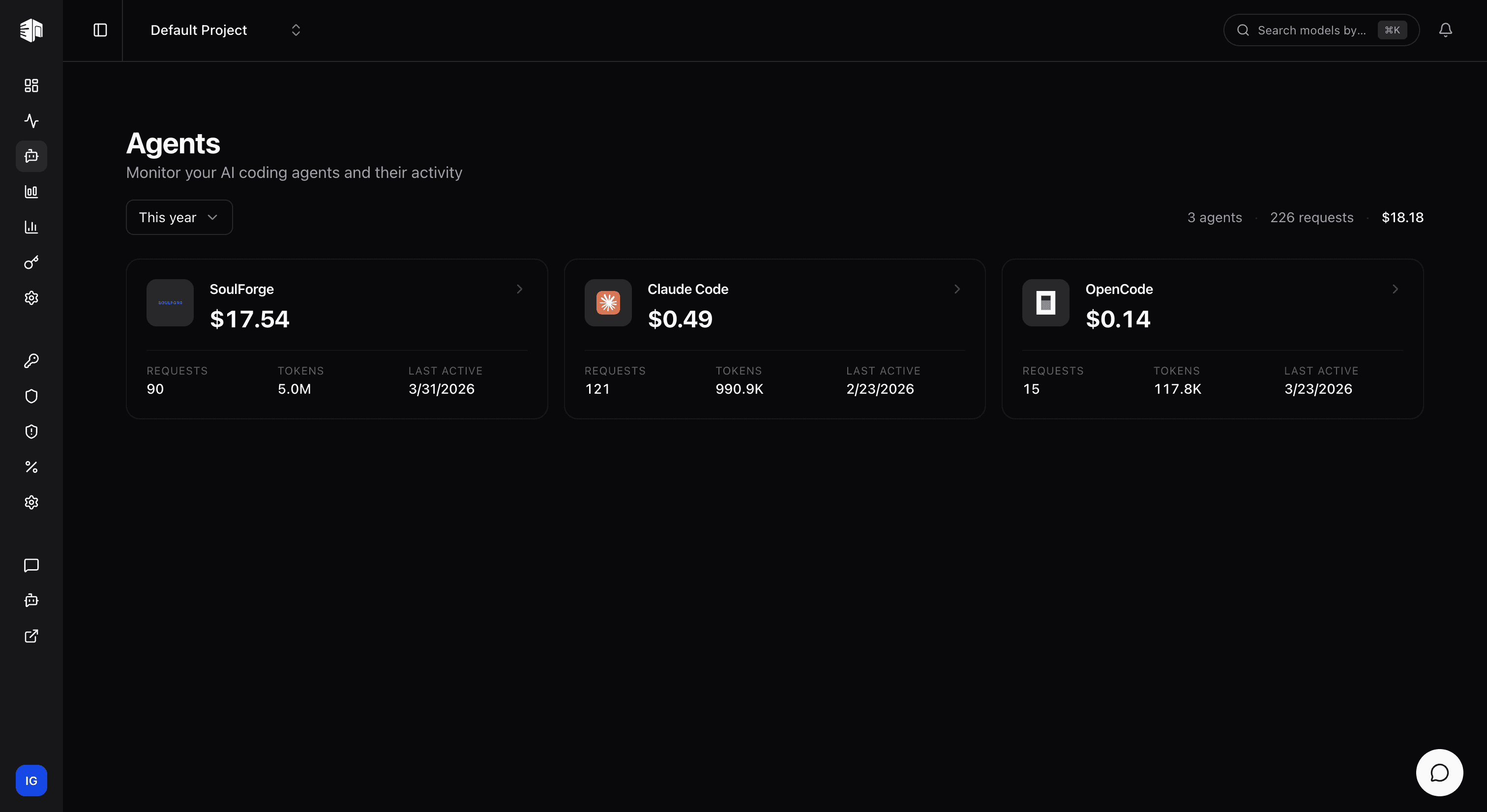
Click on any agent card to view its sessions. Each session row shows the time range, number of requests, tokens consumed, duration, and cost.
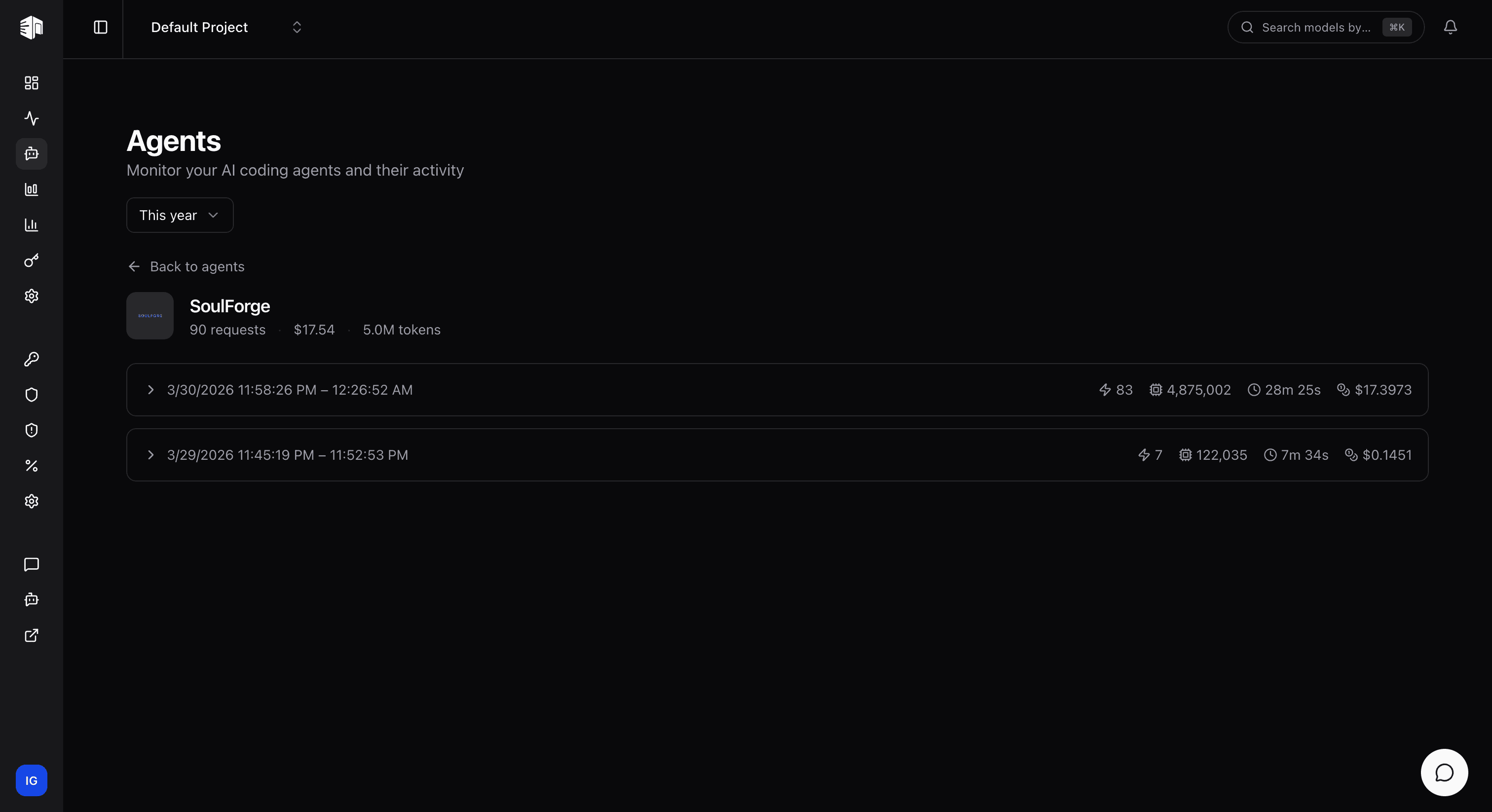
Expand a session to see individual requests with response previews, model used, cache status, token counts, cost, and source.